
The Complete Step-by-Step Guide to Setting Up ClaudeBot in 2026

Imagine you just bought a high-tech "Smart Light Switch" for your house. You know it can do amazing things—like dimming the lights when you start a movie or turning everything off when you leave—but right now, it's just sitting in a box. To make it work, you need to wire it into your wall, connect it to your Wi-Fi, and tell it what the rules are. This is exactly what "Setting Up" ClaudeBot feels like.
In this guide, we are going to walk you through the four main steps of getting ClaudeBot out of the box and into your business. No jargon, just clear instructions.
Step 1: The "Digital Key" (API Credentials)
Before ClaudeBot can start working, it needs a "Key" to enter your digital office. You get this key from the Anthropic Console. Think of the API Key as a secret password. If someone else has it, they can use your account, so keep it safe!
Pro-Tip: Never hard-code your API key directly into your website. Use "Environment Variables"—it's like putting your key in a locked safe that only the server can open.
Step 2: The "Office Desk" (Your Environment)
Now that you have the key, you need a place for the AI to sit. This is your "Development Environment." If you are a coder, this means setting up a Node.js or Python project. If you are a business owner using no-code, this means opening an account on a platform like Make.com or n8n.
This is where you will define the "Plumbing." For example: "When a new customer fills out a form on my website, send that text to ClaudeBot."
Step 3: The "Job Description" (The System Prompt)
If you hire a new intern and just say "Do work," they will be confused. You need to give them a job description. In the AI world, this is called a System Prompt.
A great system prompt for ClaudeBot looks like this: "You are the Lead Customer Support Agent for aiminds.school. Your tone is helpful, encouraging, and professional. Use our internal knowledge base to answer questions about the Masterclass. If you don't know the answer, politely ask the user for their email so a human can follow up."
Step 4: The "Staging Ground" (Testing)
Before you let ClaudeBot talk to your real customers, you need to test it. This is the "Staging Ground." Try to trick it! Ask it difficult questions, be a "grumpy" customer, and see how it responds.
Anthropic provides a tool called the Workbench where you can test different versions of your prompt side-by-side to see which one works best. Don't skip this step!
Moving from "Static" to "Agentic"
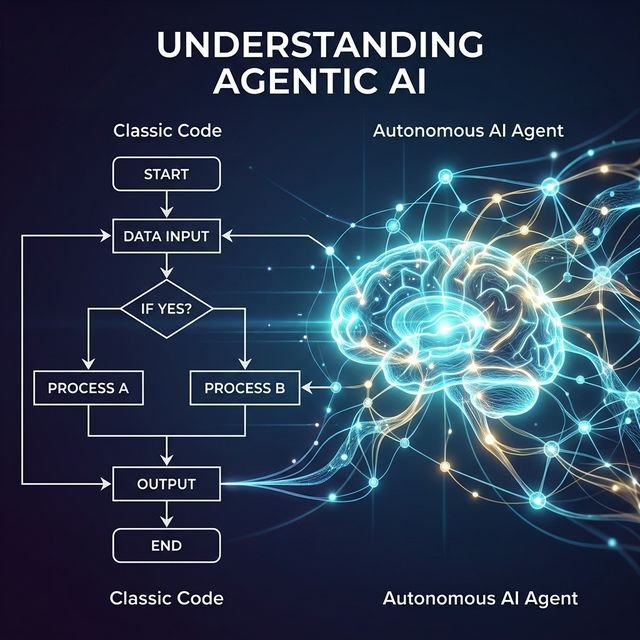
The real magic happens when you give ClaudeBot Tools. Instead of just talking, you can give it the ability to "Check the inventory" or "Create a Jira ticket." This is what we call an "Agentic" setup.
At aiminds.school, we teach you how to build these complex tool-using bots. We show you how to connect ClaudeBot to your real-world databases so it can provide live, accurate data to your users instead of just "guessing."
Ready to build your first Agent? Our "Zero to One" Workshop next Saturday will walk you through the entire setup live. You'll leave the session with a working ClaudeBot in your browser.
Suggested reading


Frequently Asked Questions
Do I need to be a coder to set up ClaudeBot?
While the "Backend" setup requires some basic knowledge of APIs and environment variables, many "No-Code" tools like Zapier or Make.com allow you to connect ClaudeBot to your business without writing a single line of code.
How much does the Anthropic API cost?
Anthropic uses a "Pay-as-you-go" model based on "Tokens" (roughly 750 words). For most small businesses, the cost of running a ClaudeBot is significantly cheaper than hiring a human assistant, often costing less than $20 a month for moderate use.
Is my data safe when I connect it to ClaudeBot?
Anthropic has strict data privacy policies for API users. Unlike the "Free" version of chatbots, data sent through the API is typically not used to train their future models, making it much safer for sensitive business information.
Live masterclasses
Enroll in our live masterclasses programs: Build real AI agents or your first data-science model with expert mentors.
Agentic AI Developer Bootcamp
Structured agentic AI and LangGraph training — intensive bootcamp-style projects with mentor support.
Duration: 2 days, 5 hours each day.
Explore Agentic AI Course →Data Science Masterclass
Start your data science journey with a structured live masterclass and hands-on model building.
Duration: 2 days, 5 hours each day.
Data Science Masterclass →